
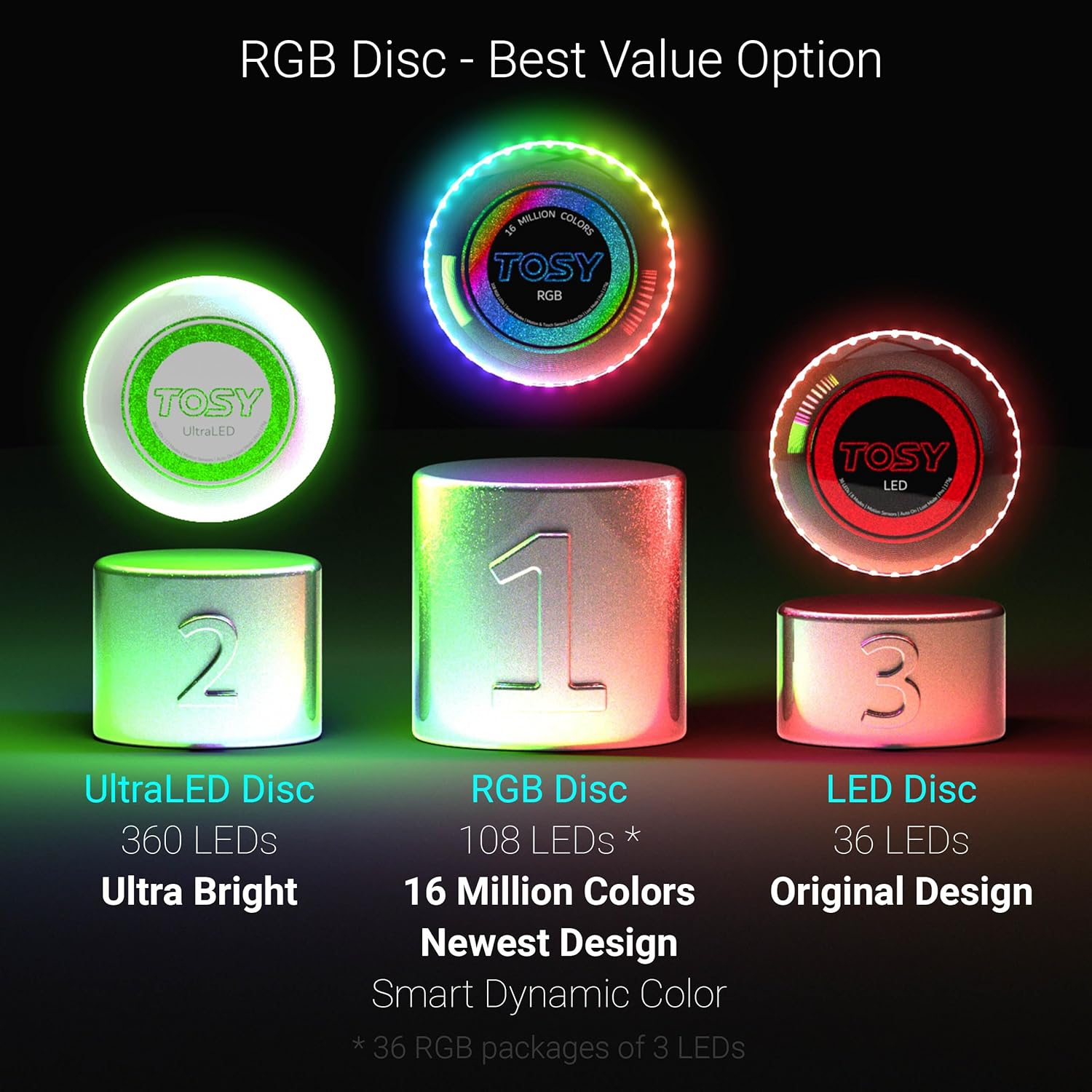
TOSY Flying Disc Feature Guide: How to Customize Your TOSY Flying Disc (LED & RGB)
The TOSY Flying Disc has revolutionized night sports with its ultra-bright LED technology and professional aerodynamics. To help you get the most out of your night play, this comprehensive guide will walk you through how to operate and customize every single feature on both the LED Disc and RGB Disc models.
1. Core Features of the TOSY Flying Disc Series
Before diving into the specific modes, both versions share these groundbreaking, high-performance tech specs:
- USB-C Charging Port: Conveniently located at the bottom center of the disc. A quick 45-minute charge powers up to 3,000 throws.
- Professional Aerodynamics: Perfectly weighted and balanced, providing stable, long-distance flights ideal for Ultimate Frisbee or casual park games.
2. How to Adjust Features on the TOSY LED Disc
The TOSY LED Disc focuses on high-visibility illumination and ease of use. It features two intuitive buttons on the underside:
A. Brightness Mode
Press the BRIGHTNESS button to cycle through 4 light intensity levels to match your environment:
- Level 0 - No Light: Turns off the LEDs completely, perfect for saving battery during daytime play.
- Level 1 - Dim: A soft, subtle glow suited for twilight or low-light dusk conditions.
- Level 2 - Bright: The standard, high-visibility setting recommended for most night games.
- Level 3 - Super: Maximizes the light output, turning your disc into a beacon that is highly visible even in pitch-black darkness or wide-open fields.
B. Timer Mode
Press the TIMER button to choose exactly how long the disc stays lit after being thrown or caught:
- Level 0 - Game: The official continuous mode designed for uninterrupted tournament play.
- Level 1 - 7": The LEDs will automatically turn off 7 seconds after flight.
- Level 2 - 8": The LEDs will automatically turn off 8 seconds after flight.
- Level 3 - 120": Stays illuminated for a full 120 seconds. This is an incredibly helpful setting for locating your disc if it lands in deep bushes or dark areas.
3. Unlocking Premium Visuals with the TOSY RGB Disc

The premium TOSY RGB Disc retains the exact Brightness and Timer controls found on the LED version, but adds 2 extra buttons for an incredible, customizable multi-color light show:
A. Style Mode
Press the STYLES button to select your preferred LED color effect while the disc cuts through the air:
- Level 0 - Mono Color: Displays a sleek, solid color.
- Level 1 - Dynamic: Features smooth, fluid color transitions that shift dynamically as the disc spins.
- Level 2 - Rainbow: Emits a stunning, vibrant rainbow trail across the night sky.
- Level 3 - Random: Keeps things unpredictable by rotating through different color patterns on every single throw.
B. Color Button
When your disc is set to solid color mode (Mono Color - Level 0 in Style Mode), you can press the COLOR button to cycle through and select your preferred LED color (such as Red, Green, Blue, Purple, or Yellow). This feature is perfect for personalizing your gear or distinguishing teams during night matches.
4. Pro Tips for Care and Maintenance

To ensure your TOSY Flying Disc lasts for years to come, always firmly close the rubber protective cap over the USB-C charging port before playing. While the disc is highly impact-resistant and waterproof, keeping it dry and clean after playing on wet grass or at the beach will maximize the lifespan of the internal electronics.
Now that you know how to master the smart features of your TOSY Flying Disc LED & RGB, it's time to charge it up, pick your favorite lighting mode, and light up the night sky on your next throw!
Frequently Asked Questions
What is the difference between the TOSY LED Disc and the TOSY RGB Disc?
The TOSY RGB Disc includes all the features of the TOSY LED Disc while adding customizable color effects and multiple lighting styles.
Both models offer adjustable Brightness and Timer modes, professional flight performance, USB-C charging, and smart motion sensors. The RGB version also lets you choose different lighting styles and colors for a more personalised night-playing experience.
Compare the TOSY LED Flying Disc and the TOSY Flying Disc RGB to find the model that best suits your style.
How long does the TOSY Flying Disc battery last?
A full charge takes about 45 minutes and provides up to 3,000 throws under normal use.
The actual battery life depends on the selected brightness level, lighting mode, and how frequently the disc is used during each session.
Can I change the brightness of my TOSY Flying Disc?
Yes. Both the LED and RGB versions allow you to switch between four brightness levels.
You can choose from no light, dim, bright, or super bright depending on your environment, helping balance visibility and battery life.
What does Timer Mode do on the TOSY Flying Disc?
Timer Mode controls how long the LEDs remain illuminated after the disc is thrown or caught.
You can select different timing options based on your playing style, including a longer illumination mode that makes it easier to locate the disc in dark environments.
What lighting styles are available on the TOSY RGB Disc?
The TOSY RGB Disc offers four lighting styles: Mono Color, Dynamic, Rainbow, and Random.
These effects allow you to personalise the appearance of the disc while maintaining excellent visibility during nighttime games.
Explore all available features on the TOSY Flying Disc RGB product page.
Can I choose a specific LED color on the RGB Disc?
Yes. When the RGB Disc is set to Mono Color mode, you can cycle through multiple LED colours using the Color button.
This feature allows players to personalise their disc or assign different colours for team games and group activities.
Is the TOSY Flying Disc waterproof?
Yes. The TOSY Flying Disc is designed for outdoor use and is waterproof when the USB-C charging port cover is securely closed.
For the best long-term performance, always ensure the rubber charging-port cover is properly sealed before playing and wipe the disc dry after use in wet conditions.
Can I use the TOSY Flying Disc during the day?
Yes. The TOSY Flying Disc performs like a professional flying disc during the day and becomes even more impressive after sunset.
You can switch the brightness to Level 0 to conserve battery during daytime play while still enjoying the same balanced flight performance.
Is the TOSY Flying Disc suitable for Ultimate Frisbee?
Yes. The TOSY Flying Disc is engineered with professional aerodynamics for stable, accurate, and long-distance flight.
Its balanced design makes it suitable for casual throwing, recreational games, and many Ultimate Frisbee training sessions.
How do I charge the TOSY Flying Disc?
The TOSY Flying Disc charges through a USB-C port located on the underside of the disc.
Simply connect a compatible USB-C cable and allow approximately 45 minutes for a full recharge before your next game.
For complete product specifications, visit the TOSY LED Flying Disc or TOSY Flying Disc RGB product pages.
Which TOSY Flying Disc should I choose?
Choose the TOSY LED Flying Disc if you want maximum visibility with simple controls, or choose the TOSY Flying Disc RGB if you want additional lighting styles and colour customisation.
Both models deliver the same professional flight performance, rechargeable battery, and smart lighting technology, while the RGB version offers greater personalisation for night games.
If you enjoy colourful lighting effects, explore the TOSY Flying Disc RGB. If you prefer a classic high-visibility flying disc, the TOSY LED Flying Disc is an excellent choice.
Where can I learn more about playing with a LED flying disc at night?
If you're new to night flying discs, learning how LED technology improves visibility can help you get the most out of your games.
Read our LED Frisbee Guide: Best Light Up Flying Disc for Playing Frisbee at Night to discover the benefits of LED flying discs, how they compare with glow-in-the-dark discs, and tips for choosing the best model.
Share:
TOSY Magnet Cube 3x3 – Full Guide to 6 in 1 Features
The Ultimate Guide to TOSY Flying Disc (LED & RGB): Setup, Controls & Pro-Tips